


Every paid plan includes website monitoring across uptime, integrity, SEO and AI visibility, performance, security and content changes. Server and scheduled task monitoring are also available on selected plans.
Features
What SiteVitals
keeps an eye on.
The important website jobs that are easy to forget — checked for you, with a heads-up if something needs attention.

Not sure what an alert means?
Ask us.
Paying members can send us their website questions once a month and get clear, practical advice from a real person. We’re here to help.
Here's what we watch
Everything SiteVitals watches.
We'll email you what you need to know. And if you want the detail — or need to point your developer in the right direction — it's all here.
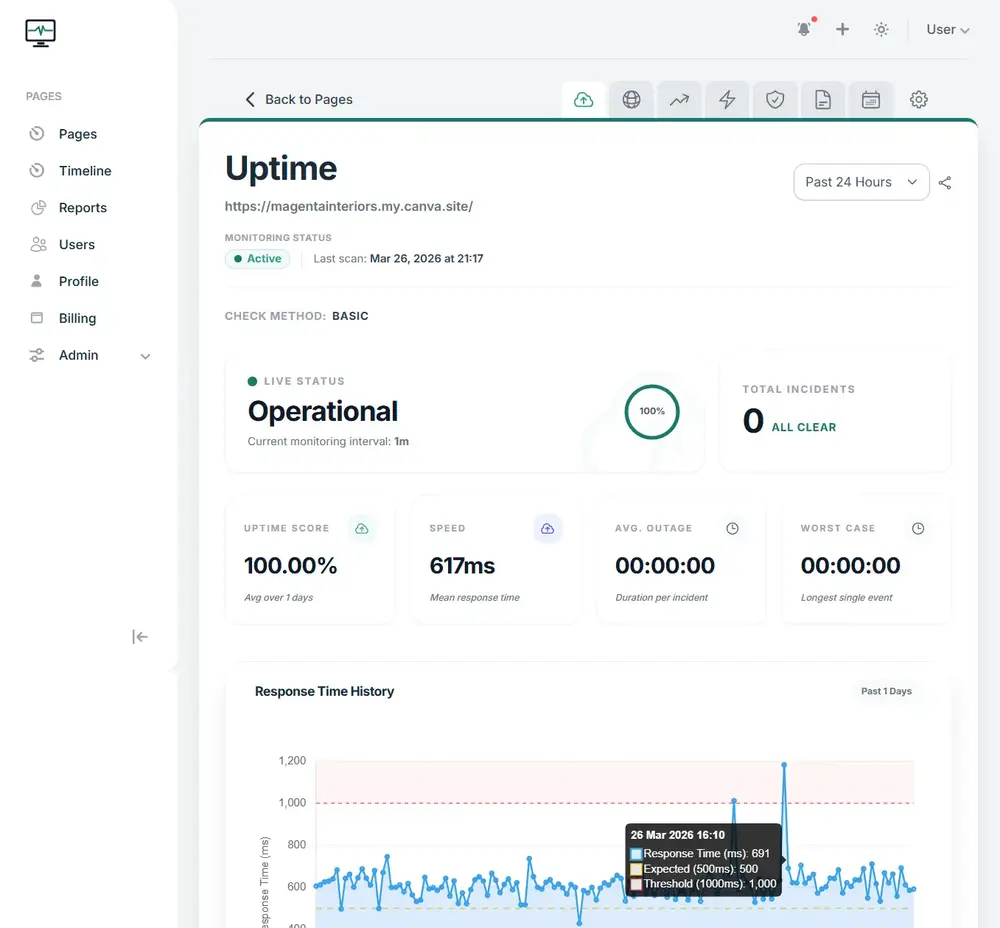
The first person to know your site is down should be you.
- ✓ Checks around the clock, 24/7
- ✓ Email & webhook alerts
- ✓ Every outage double-checked before we alert you, to cut out false alarms
- ✓ Checks your page shows what it should, not just that it loads (keyword presence checks)
- ✓ Full history of every outage and how quickly your site recovered
- ✓ UK & EU based - privacy-focused monitoring
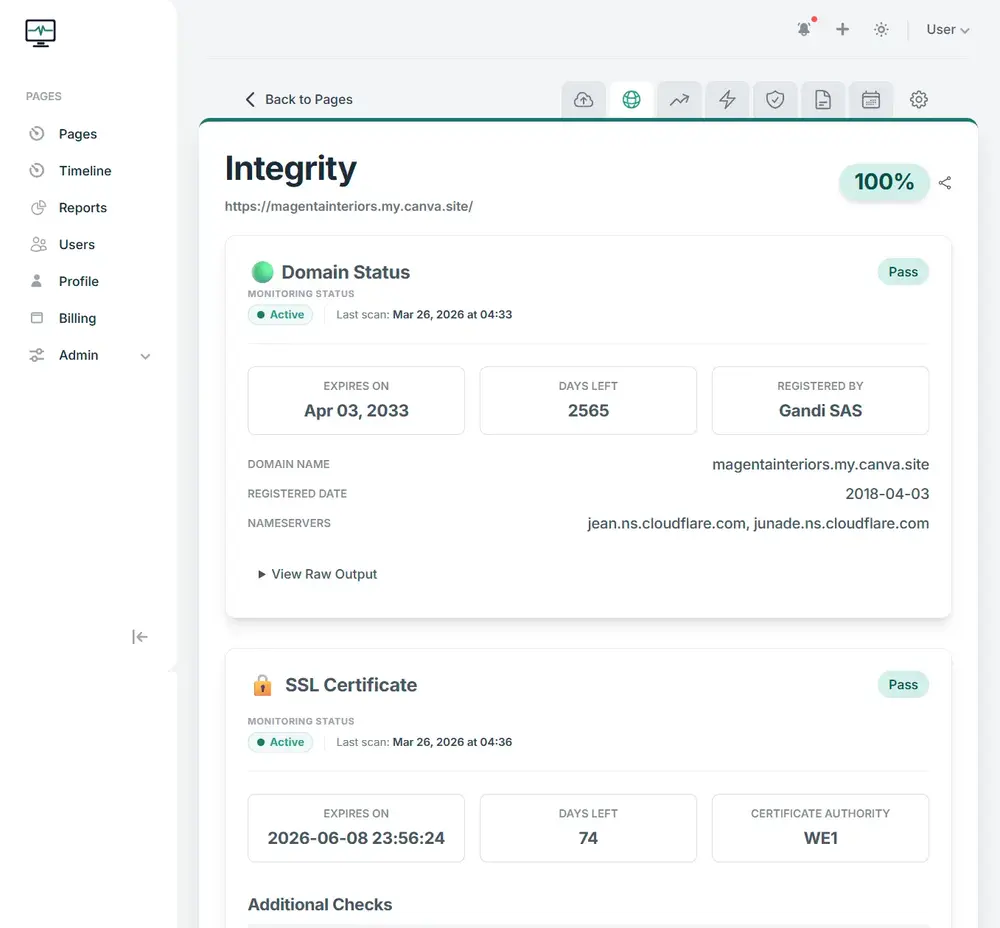
Let a domain lapse and your website and email can go down with it.
- ✓ Domain expiry alerts (because an expired credit card can really screw things up)
- ✓ Security certificate checks (SSL chain verification)
- ✓ Broken images, styles and scripts spotted (asset checks)
- ✓ Insecure files flagged (mixed content)
- ✓ The settings that point your domain at your website and email, checked (DNS & DNSSEC)
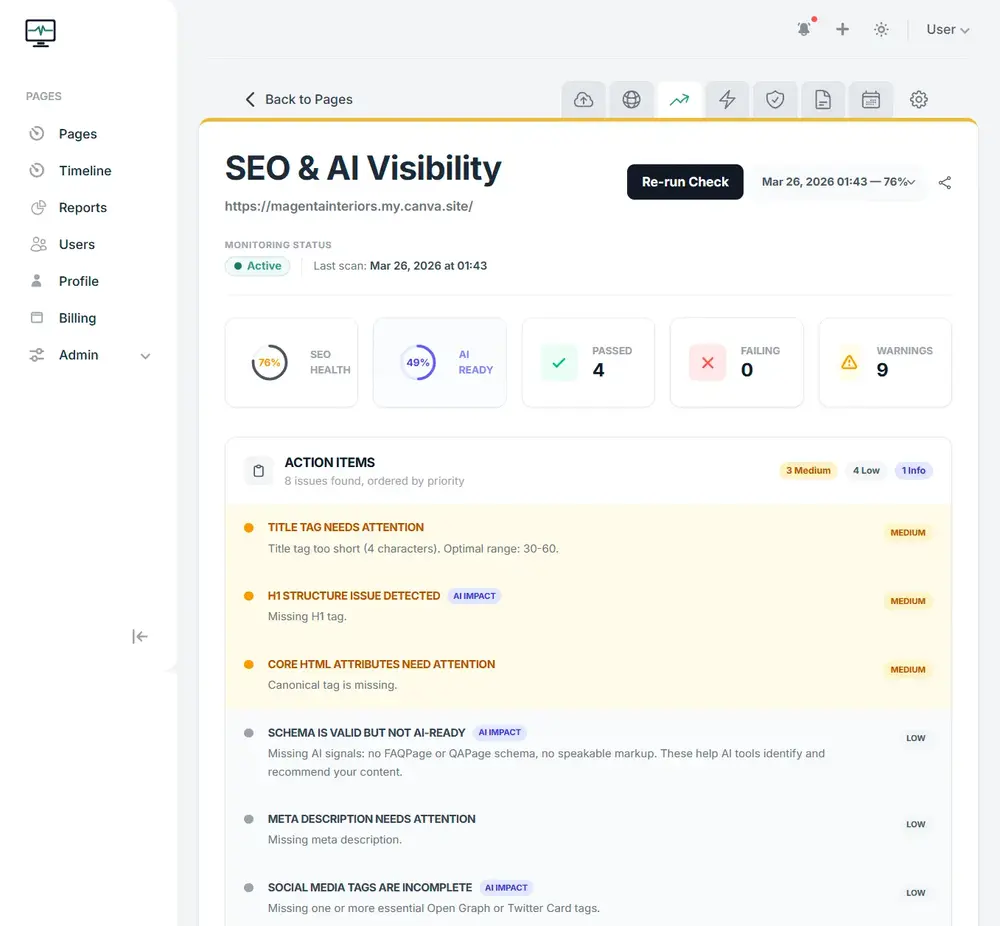
AI search runs on the same technical basics as Google. SiteVitals checks them for you.
- ✓ Page titles, descriptions, headings and canonical tags checked (metadata)
- ✓ Structured data checked (JSON-LD schema validation)
- ✓ An AI readiness score, covering the signals AI tools use to understand who you are (sameAs, speakable & FAQ schema)
- ✓ Checks AI crawlers can get in, plus your llms.txt file
- ✓ Indexing & robots.txt integrity
- ✓ Broken internal & external link detection
- ✓ How your pages look when shared on social media (Open Graph & X Cards)
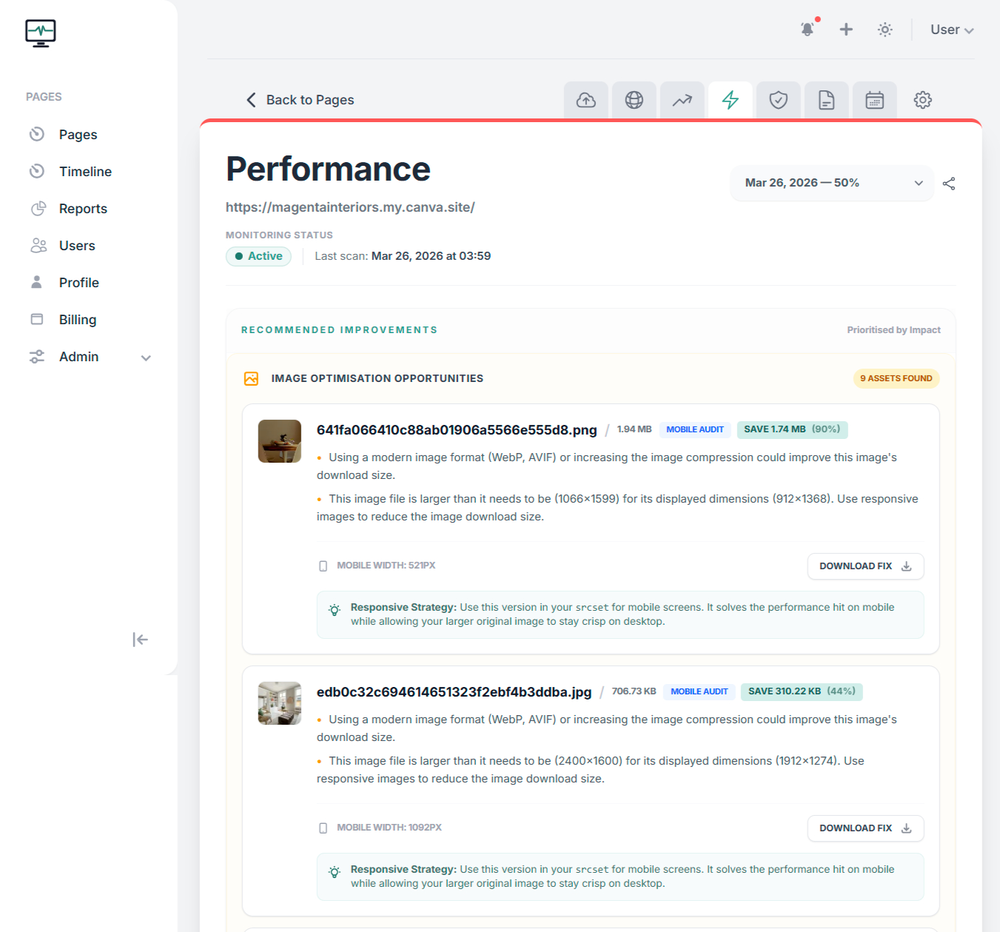
A page that used to load in 2 seconds and now takes 6 is unfortunately one that most people won't wait for.
- ✓ Google's Core Web Vitals tracked over time (LCP & CLS)
- ✓ Lighthouse performance scores with a history
- ✓ Code that holds up your page loading, spotted (render-blocking CSS & JS)
- ✓ Third-party scripts like chat widgets, measured
- ✓ Oversized images and jumping layouts pinpointed (unoptimised images, layout shift)
- ✓ An alert if your score drops (regression alerts)
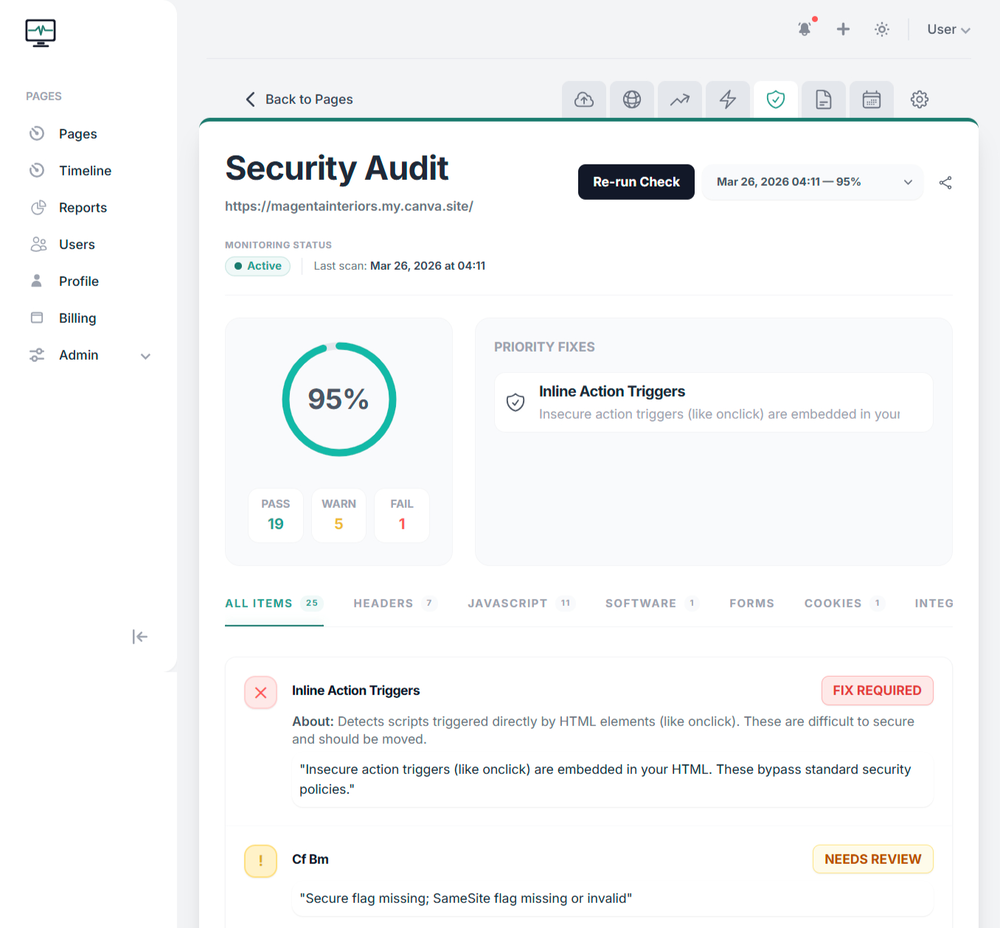
Small security gaps are easy to miss, and much easier to fix when someone spots them early.
- ✓ Browser security settings checked (HSTS, CSP & X-Frame-Options)
- ✓ Cookies checked for safe settings (HttpOnly, Secure & SameSite)
- ✓ Forms checked for safe submission (CSRF protection & submission method)
- ✓ Insecure or tampered files flagged (mixed content & Subresource Integrity)
- ✓ Software version giveaways, flagged (exposed server signatures)
- ✓ Known security holes in your site's software, matched against the US National Vulnerability Database (NVD)
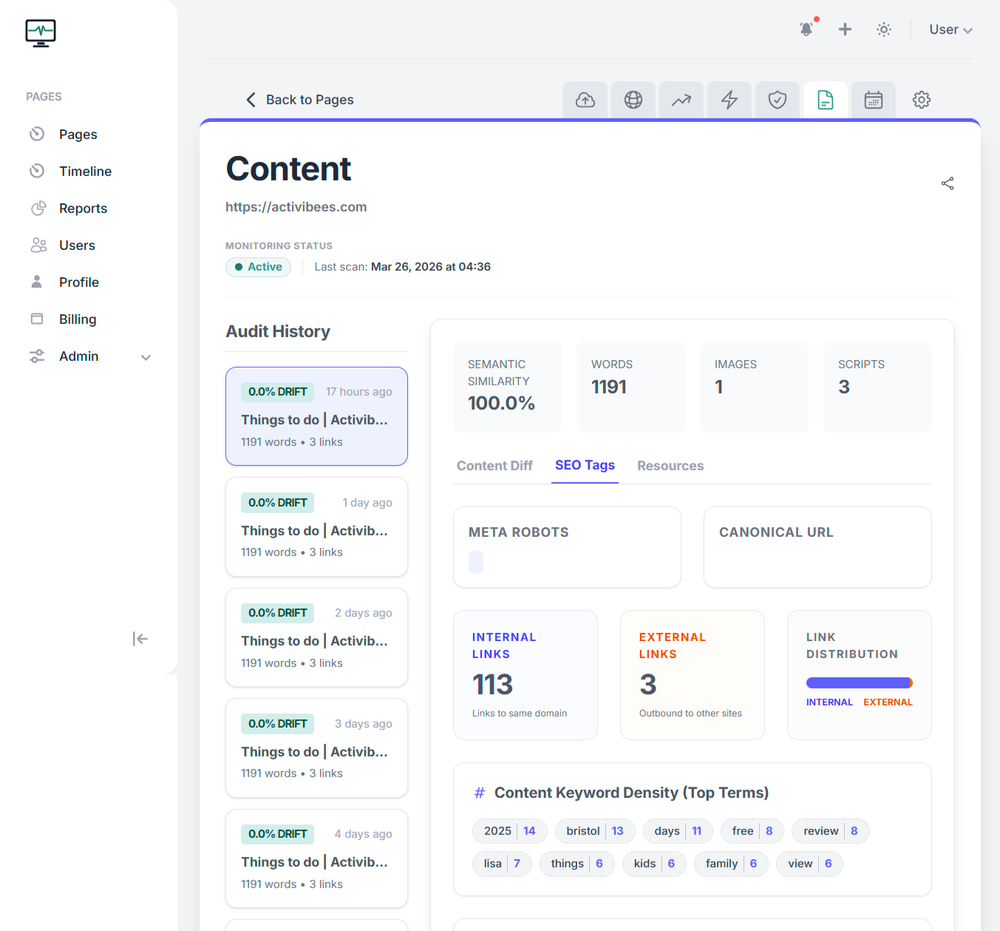
Spot the changes you made by accident or didn’t realise were a big deal.
- ✓ A change score for each page, so a big rewrite stands out from a small tweak (weighted change index using Jaccard & Levenshtein)
- ✓ Alerts when page titles, H1s or heading structure change
- ✓ Keyword drift, so you know if a page has wandered off its topic (semantic similarity scoring)
- ✓ New third-party scripts flagged when they appear (external dependency fingerprinting)
- ✓ Image count and page weight tracked
- ✓ A full history of every change, with dates
Server and scheduled task monitoring are available on selected plans.
One timeline for everything
See what changed, and when.
Every check SiteVitals runs is timestamped to a shared timeline, so you can see what happened and when — whether a promo was updated, content changed, performance dipped, or a maintenance task ran.
live events timeline
A small monthly safety net
for your website.
Keep the essentials watched, get a heads-up when something matters, and have an expert to ask when you're stuck.
And when you need more
Watch what happens behind the website too.
Server health and scheduled jobs sit outside the standard website checks, but they feed into the same SiteVitals view when you need deeper infrastructure monitoring.
If you like to get your hands dirty
A real API. An MCP server. And webhooks for every event we raise.
Wire SiteVitals into your runbooks, your chatops, your on-call. Query your timeline from Claude. Get the raw alert payload delivered to whatever you already own.
Read the docs →
REST API
MCP
WEBHOOKS
# Pull a live portfolio health snapshot
$ curl https://www.sitevitals.co.uk/api/v1/portfolio \
--header 'Authorization: Bearer YOUR_SECRET_TOKEN'
# Or just ask Claude via MCP — OAuth 2.1, read-only, scoped to your account
you ›
"Tell me the health of my portfolio and any sites that require attention."
claude ›
34 sites monitored, all up. 5 critical, 21 with warnings. example.com — security score 40, missing HSTS and unsafe JS detected. example2.com — domain expires in 20 days, renew urgently.
Things people ask us
If something isn't covered here, just ask us. We're a small team and we answer our own emails.
It depends on the monitor and your plan. Uptime can be checked as frequently as every minute, while deeper SEO, security, integrity, performance and content checks run on schedules suited to the type of check.
SiteVitals alerts you when something needs attention, such as confirmed downtime, expiring domains or certificates, meaningful score drops, security issues or important website changes. The underlying detail stays available when you or your developer need it.
No installation is needed for the six website monitoring areas. SiteVitals checks your site from the outside. Server monitoring uses an optional lightweight agent, and the free WordPress plugin can add WordPress updates to your timeline automatically.
The core website monitoring suite is included with every paid plan. You can then choose a plan based on how many pages you want monitored, check frequency, history and whether you need server or scheduled task monitoring.