Change Intelligence
Stop guessing why
your rankings
shifted last month.
Rankings change. Traffic drops. And most of the time, nobody knows exactly why - because nobody tracked exactly what changed. A content edit that diluted the SEO focus of a key page. A script injected by a developer. An H1 quietly downgraded to an H2 during a redesign. Change Intelligence watches your pages over time and tells you not just that something changed, but how much, where, and what it means.
Weighted Change Index
Quantifies exactly how much a page has changed between scans - not just if it changed, but how significantly.
Keyword drift detection
Tracks whether your pages are maintaining their semantic focus on the terms they are supposed to rank for.
Dependency fingerprinting
Maps every third-party script and alerts you the moment a new external resource appears on the page.
Structural change history
Logs every change to heading architecture, title tags, and content structure so you can trace shifts precisely.
Content changes quietly. The consequences take longer to arrive.
The gap between a content change and its impact on search rankings can be weeks. Which means that by the time you notice a traffic drop, the cause might be a month-old edit that nobody remembers making - and which nobody flagged at the time because it seemed minor.
A paragraph rewrite that reduced the keyword density of a page that had been ranking well for three years. A developer adding a new analytics script that slowed the page by half a second. A content editor changing the H1 because they preferred a different headline. None of these feel significant at the time. All of them can move rankings.
βThe hardest SEO problems to diagnose are the ones caused by small changes that accumulate over time - because there is no single moment where something obviously broke.β
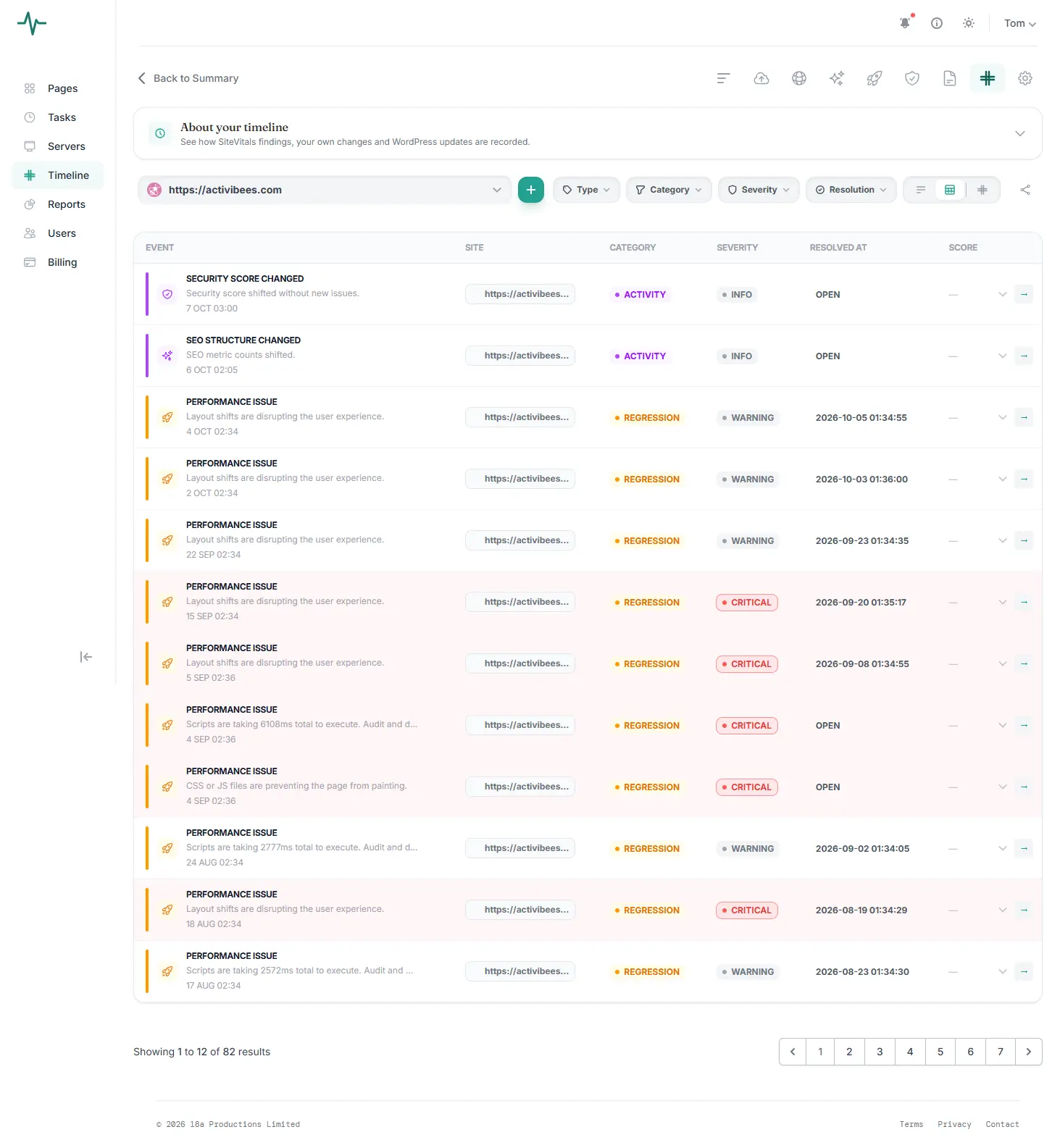
Change Intelligence creates a continuous, timestamped record of your pages as they actually are. Every change is logged, quantified, and compared against the baseline - so when something shifts in your search performance, you have the evidence to understand why.
π Rankings dropped. Nobody knew why.
A key landing page had been gradually rewritten over several months by different team members. The cumulative effect was a significantly different page - with different focus, different structure, different signals. Change Intelligence would have flagged the drift at each stage.
π A script appeared that should not be there.
A third-party tag manager was used to add a new tracking pixel. Someone used it to add a second script that was not on the approved list. No security alert was triggered - it was not malicious, just unauthorised. Dependency fingerprinting catches this immediately.
π The H1 change that changed the rankings.
During a design refresh, a developer changed a page heading from an H1 to a styled div - visually identical, structurally significant. The page gradually lost rankings for its primary keyword. The structural change log would have flagged this on the day it happened.
π The content that drifted off-topic.
A blog post that ranked well was updated with new information. The updates were relevant and well-intentioned - but each edit shifted the semantic focus slightly further from the original target keyword. Keyword drift tracking shows exactly when and how this happened.
What Change Intelligence Monitors
Three kinds of change that affect your site more than you think.
Change Intelligence watches three distinct areas of your pages - each covering a different category of risk that simple uptime or security monitoring would not catch.
How the Change Intelligence
engine actually works.
Most website monitoring compares pages as simple text strings - looking for exact matches or obvious differences. Change Intelligence goes deeper, using computational methods that measure the meaning and structure of a page, not just its surface content.
Weighted Change Index
A composite score that quantifies how much a page has changed between scans. Rather than a binary βchanged / not changed,β the index measures the degree of change - distinguishing between a typo fix and a significant rewrite.
Jaccard Similarity
Measures the semantic overlap between two versions of a page by comparing the sets of terms present in each. A high Jaccard similarity means the pages share most of the same vocabulary. A declining score indicates semantic drift.
Levenshtein Distance
Measures the physical edit distance between two text versions - the minimum number of character-level operations required. Combined with Jaccard, this gives a complete picture of both text and meaning change.
Intelligent Noise Reduction
Before analysis, the engine strips navigation, headers, footers, and boilerplate to focus exclusively on core body copy. This prevents routine template changes from generating false positives.
External Dependency Fingerprinting
On first scan, every external domain and resource is fingerprinted. Subsequent scans compare the current dependency map against the baseline. Any new domain, changed script, or removed resource triggers an alert.
Content Similarity Baseline
Every scan is stored and compared not just against the previous scan, but against the original baseline. This means gradual drift - the kind that accumulates through many small edits - is as visible as a sudden change.
The conversations it makes possible.
The real value of Change Intelligence is not just in catching problems - it is in having the evidence to understand them.
Your competitors' public pages
are trackable too.
Change Intelligence monitors any public URL - which means it isn't limited to sites you own. Add a competitor's key pages alongside your own, and SiteVitals will alert you whenever their content, structure, or third-party dependencies shift. The same technology that protects your site from quiet degradation also tells you when the competitive landscape is quietly moving.
Keyword drift detection
When a competitor's page begins shifting its semantic focus toward a new set of terms, you'll see the drift before it shows up in rankings.
Messaging and copy changes
Headline rewrites, repositioned value propositions, revised CTAs - logged with timestamps so you know exactly when the change happened.
New third-party scripts
Third-party dependency fingerprinting flags when a competitor adds a new analytics tool, ad network, or external service to their pages.
Structural changes
Changes to H1s, page titles, and heading structure are logged separately - often the first visible sign of an SEO strategy shift.
"A competitor quietly repositioning their core service page is useful intelligence. Knowing it happened three weeks ago, with a timestamp, is a different quality of insight entirely."
SiteVitals only tracks publicly accessible pages. No authentication, no scraping behind login walls - the same information any visitor would see, monitored continuously so you don't have to check manually.
The monitoring that explains
what everything else canβt.
Change Intelligence is available on SiteVitals paid plans from Β£13.33 per month. It is the feature that tends to earn its keep most clearly in retrospect - the first time you are trying to explain a traffic drop and the change log gives you an answer in thirty seconds rather than a week of archaeology through version histories and team conversations.
It is also the feature that works best the longer it runs. The more history it accumulates, the more useful the baseline becomes - and the more clearly gradual drift becomes visible against the original state of your pages.
Marketer plan and above
Things people often ask us.
If something is not covered here, we are genuinely happy to answer it. We are a small team and we actually respond.
How do you calculate the "Change Index"?
We use a combination of Jaccard Similarity and Levenshtein distance to quantify the physical and semantic difference between page versions.
Does this detect malicious script injections?
Yes. By fingerprinting every external dependency, we alert you the moment a new third-party resource is loaded on your page.
Can I ignore headers and footers?
Absolutely. Our engine strips out boilerplate content to focus specifically on core body copy changes.